Make it yours
Give guests a booking experience that feels like your restaurant, with your branding and menu.
Restaurants and hospitality teams use Reservo to bring bookings, preorders, and payments together.




Give your team one place to manage the first booking, the last round, and everything in between.
Give guests a booking experience that feels like your restaurant, with your branding and menu.
 Reservation
Guests choose a time, reserve a table, and pick dishes before they arrive. The kitchen can prepare for what’s coming.
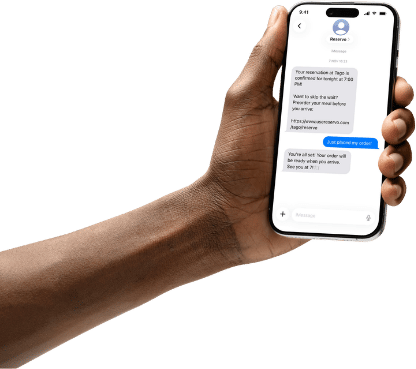
Send booking confirmations and share the preorder link by text so guests can find it when they need it.
See booking and preorder trends to understand when you’re busiest and which dishes guests choose most.
Add drinks, sides, or dessert during service and keep them with the table’s order and payment.
See reservations, preorders, and tabs together so the host, kitchen, and floor know what’s next.
Manage reservations, preorders, and payments in one place.
Use the left and right arrow keys to browse. These are fictional profiles.
How online reservations, preorders, and table tabs work in your restaurant.
Reservo is restaurant reservation software that connects online table bookings with menu preorders and table tabs. Your host can see who’s coming, the kitchen can see what guests chose ahead of time, and servers can add to the same tab during dinner.
Guests open your restaurant’s booking page in their browser, choose a party size and an available time, and reserve a table. They can use the same link on a phone or computer without downloading an app.
Guests can choose dishes before they arrive or reserve a table and order in person. If a party orders ahead, the kitchen can see what they picked before service. See how booking and ordering ahead fit together.
A confirmation text gives guests a record of their booking on their phone. You can include a link to preorder, so someone who’s booked dinner can open the menu later from the same message.
You can use your restaurant’s own branding and menu on the booking page. Guests who already know your restaurant will recognize it, and first-time diners can see what’s on the menu before they visit.
Yes. If a table orders another round or decides to share dessert, staff can add it to the existing tab. The original order and the extras stay together when it’s time to settle the bill.
The team can see reservations, preorders, and open tabs in one place. A host can check the upcoming bookings while the kitchen reviews what those tables have ordered. During service, the floor team can keep track of what each table has added.
You can review booking and preorder trends to see when you’re busiest and which dishes guests choose most often. For example, compare demand across service days or see which menu items guests tend to pick when they order ahead.
Give guests one place to book a table and order ahead.